

Unreleased
This page contains changes that have been merged but not yet released.
💬 AI Messaging
Human Handoff Auto-Clear Cooldown
AI Messaging now includes a configurable cooldown for unresolved Human Handoff conversations.
- Auto-clear toggle — control whether Human Handoff is removed automatically
- Configurable cooldown — choose any value from 1 to 60 days
- Default setup — new and existing settings use enabled with a 30-day cooldown
- Automatic resume path — once cooldown has passed, AI Messaging can continue responses without manual handoff removal
📊 Analytics
Custom Date Range for AI Receptionist Analytics
AI Receptionist analytics now supports custom date range selection for more flexible reporting.
- Custom date picker — choose any start and end date for your analytics view
- Smart granularity — charts automatically adjust time intervals based on range (hourly for 1 day, daily for 2 weeks, weekly for 2 months, monthly for 6 months, quarterly for longer periods)
- Period comparison — custom ranges are compared against the equivalent previous period
- Seamless integration — works alongside existing preset ranges (Last 7 days, Last 30 days, etc.)
💰 Billing
Billing Report Date Range and Case Type Exports
Billing usage exports now support custom date ranges and optional case-type PDF breakout.
- Custom date range — choose any start and end dates for billing usage exports
- Case-type PDF bundle — export a
.zipfile with one PDF per case type for the selected range - Client-ready billing layout — case-type PDFs include direct voice and SMS usage without internal-only Kayse details
📞 Campaigns
New DNC Block Reason Labels
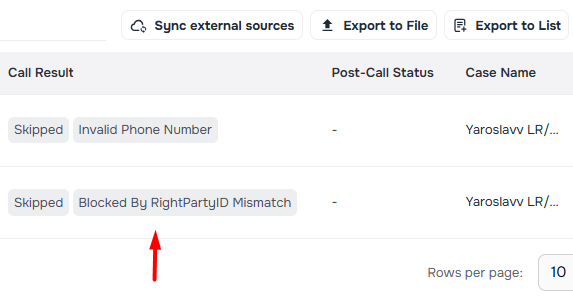
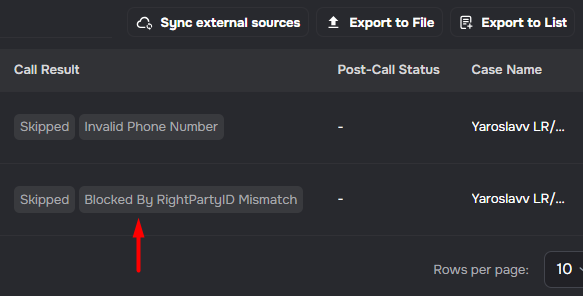
Campaigns now show explicit DNC screening outcomes in call disconnection reasons. When a call is blocked because the phone number is on a Do Not Call list, the UI shows "Blocked by Do Not Call List". When a call is blocked because the contact name doesn't match the registered phone owner, the UI shows "Blocked by RightPartyID Mismatch". These labels replace the previous generic "DNC Blocked" message so you can see the exact block reason.
Recording Consent Enforcement
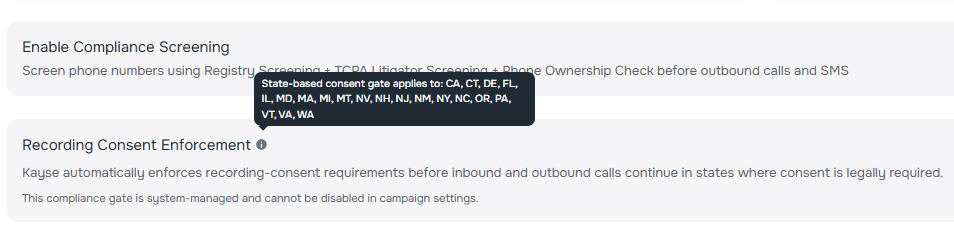
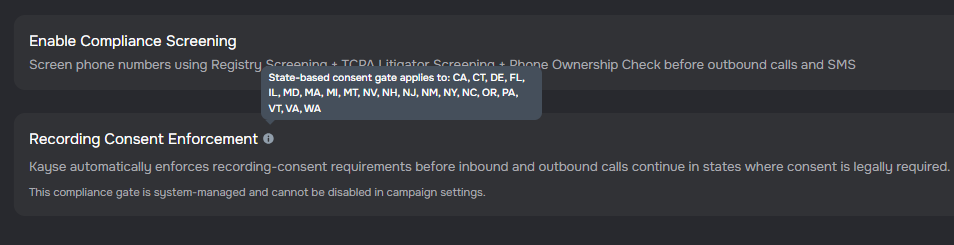
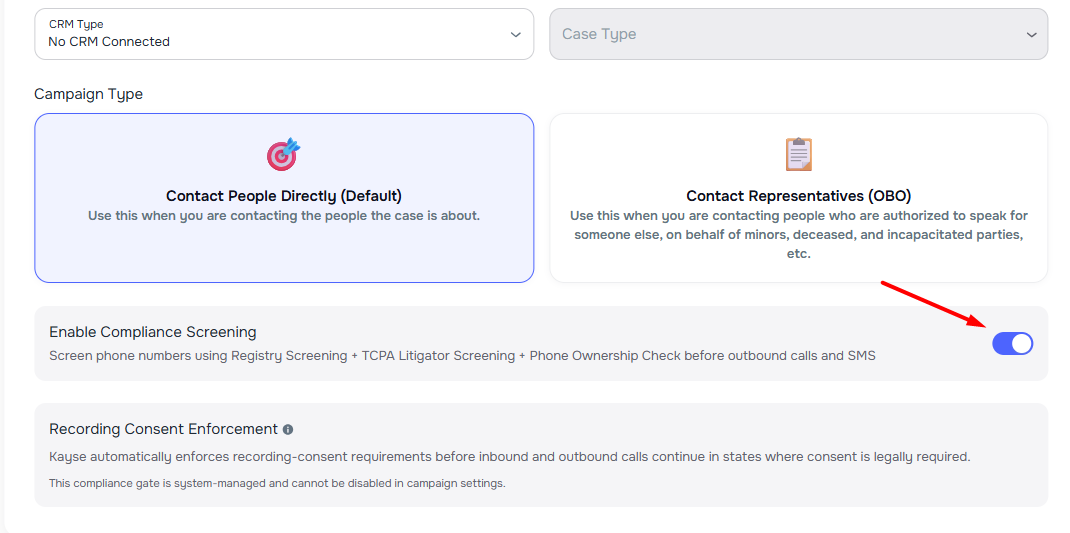
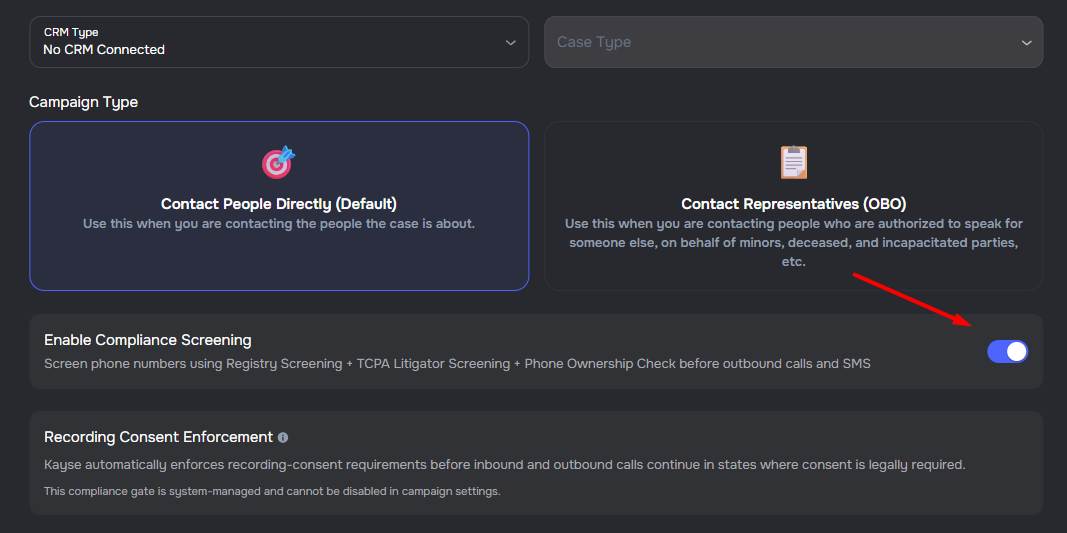
Kayse now automatically enforces recording-consent requirements before inbound and outbound calls continue in states where consent is legally required. The compliance gate applies to calls in CA, CT, DE, FL, IL, MD, MA, MI, MT, NV, NH, NJ, NM, NY, NC, OR, PA, VT, VA, and WA. Callers are presented with a consent message and must clearly agree before the intake flow proceeds. If consent is declined, the call ends politely. This system-managed compliance step cannot be disabled in campaign settings and is visible in the campaign details form.
DNC.com Registry Integration
Companies can now connect a DNC.com account in Company Settings → Integrations to automatically check phone numbers against Federal and State Do Not Call registries before outbound AI Campaign calls and SMS messages are sent. Numbers on a DNC list are blocked from being contacted. Each campaign includes an Enable DNC + RightPartyID Screening toggle on the Details tab that controls whether registry checks and right-party verification are performed. All compliance decisions are logged for audit review.
Campaign Exclusion Updated to Completed Status
Campaign contact exclusions now use "Completed" status language instead of "Opt Out" terminology, better reflecting the intent of stopping outreach for contacts that have been successfully handled.
- Updated exclusion options — "Opt Out" renamed to "Mark as Completed" and "Opt Out from All Calls" renamed to "Mark Completed for All Calls"
- Resume outreach — "Opt Back In" button renamed to "Resume Outreach" for clarity
- Status indicators — Campaign call list tooltips now show "Completed (Outreach Stopped)" instead of "Opted Out"
Edit Variable Overrides from the Campaign View
Campaign variable overrides (Company Name and Case Type) can now be edited directly from within a campaign — no need to navigate to the contact list to make changes.
- Edit button on Settings tab — the Variable Overrides card in the campaign Settings tab now includes an edit icon that opens an inline dialog
- Edit button in the campaign wizard — when editing an existing campaign, the Variable Overrides section in Step 1 also shows an edit button
- Instant update — saved changes are immediately reflected in the campaign view
- Clearing both fields removes the override and restores company defaults
Per-Day Business Hours Scheduling
Campaigns and company-wide settings now support configuring different business hours for each day of the week.
- Per-day scheduling — set unique time windows for each weekday instead of using the same hours across all days
- Toggle mode — switch between "same hours for all days" and "customize per day" modes with one click
- Day-specific controls — enable or disable individual days and configure multiple time slots per day
- Default hours — configure company-wide default business hours that can be applied when creating new campaigns
- Flexible time slots — add multiple time windows per day while respecting TCPA compliance hours
Admin Recipient Suggestions for Scheduled Reports
The campaign report email recipient picker now suggests company admins from a searchable dropdown, making it easier to add recipients without typing full email addresses.
- Admin suggestions — select from a list of company admins when adding report recipients
- Custom emails — continue to add any custom email address alongside admin selections
Follow-up Messages for Consent-Declined Calls
Campaigns now automatically send follow-up messages when a contact declines recording consent during a call. If the campaign has after-call messaging enabled and a form link configured, contacts who decline consent will receive an SMS or email inviting them to continue their conversation through the secure form link. This ensures contacts who prefer not to be recorded can still engage with your organization through alternative channels.
Never-Ending Campaigns
Campaigns can now be configured to continue running even when the contact list is exhausted. When the Never-Ending Campaign option is enabled, runs remain active and wait for new contacts to be added to the case list instead of automatically completing. This is useful for ongoing outreach workflows where contacts are continuously added over time.
📁 Cases
Case Activity Log Tab
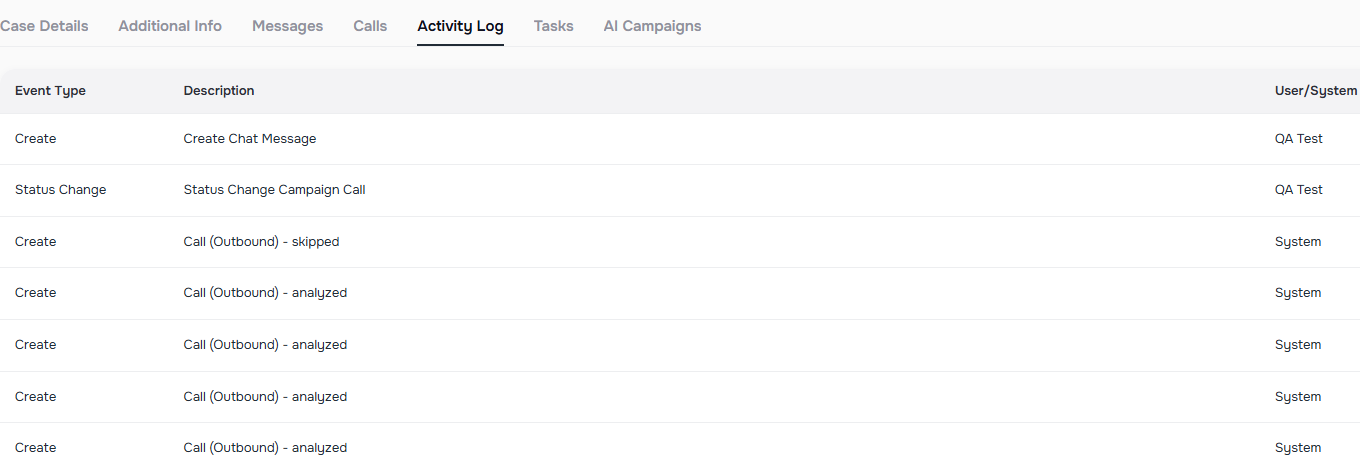
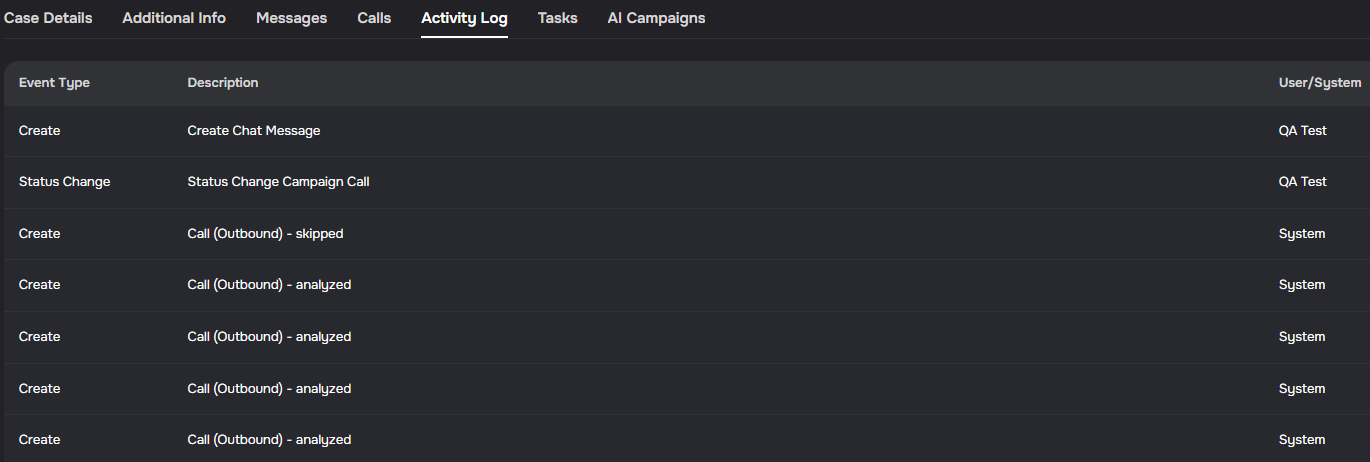
Case details now include an Activity Log tab that shows case-specific history in one timeline. Entries include event type, short description, actor, and timestamp, with newest activity shown first.
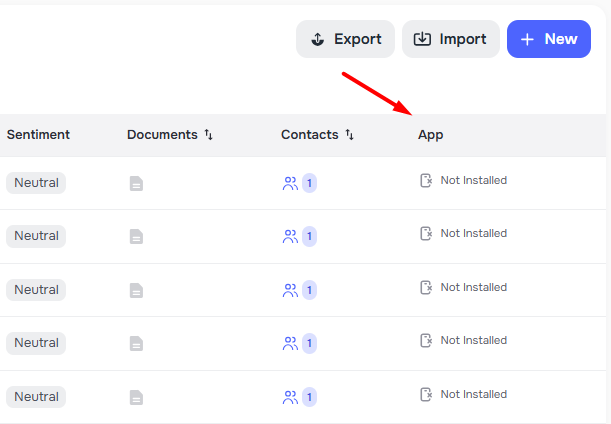
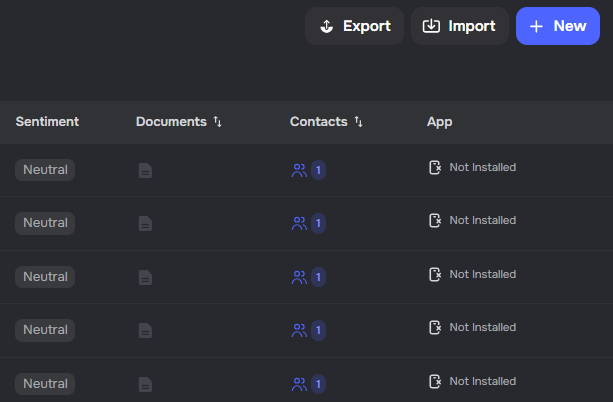
✨ App Column on Cases List
The cases list now includes an App column so you can see mobile app install status for everyone on each case at a glance. 🔍
- All set — When every client has the app, you see Installed ✅
- None yet — When no one has the app, you see Not Installed
- Mixed — When some do and some do not, you see counts with quick details on hover
🏢 Company Settings
Scope Management for Staff Access
Company admins can now manage scope-based access controls directly in Company Settings, making it easier to limit user visibility by case type.
- New Scopes tab — create, edit, and delete named scopes with one or more case types
- Staff scope assignment — assign one or multiple scopes when editing members with role User
- Case-type access control — users only see data tied to the case types included in their assigned scopes
📇 Contacts
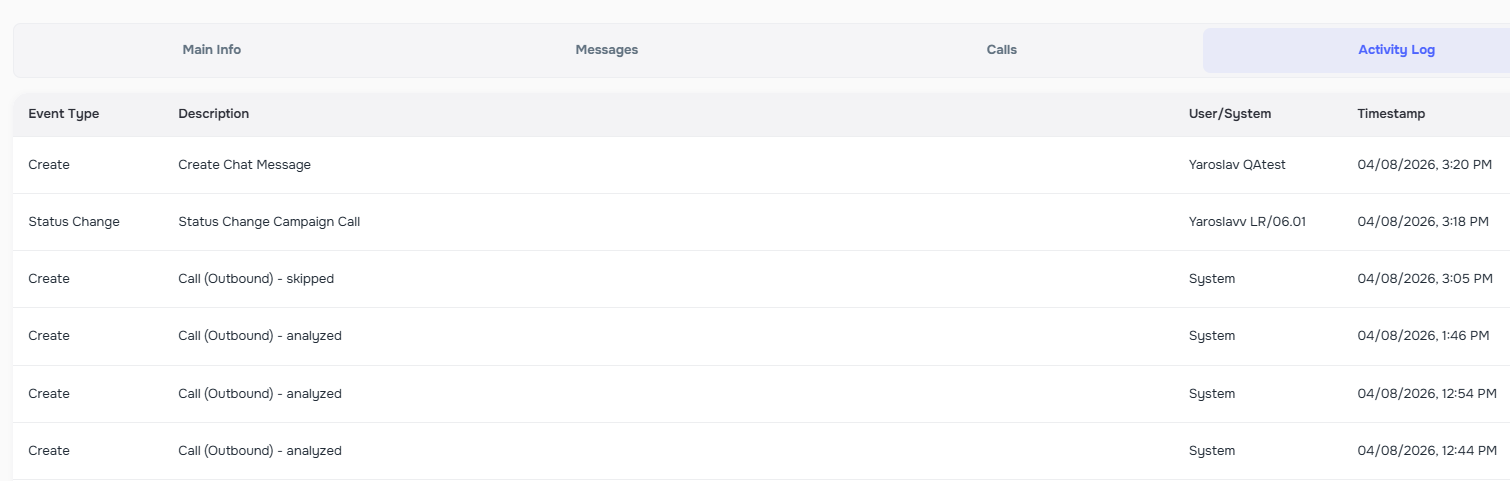
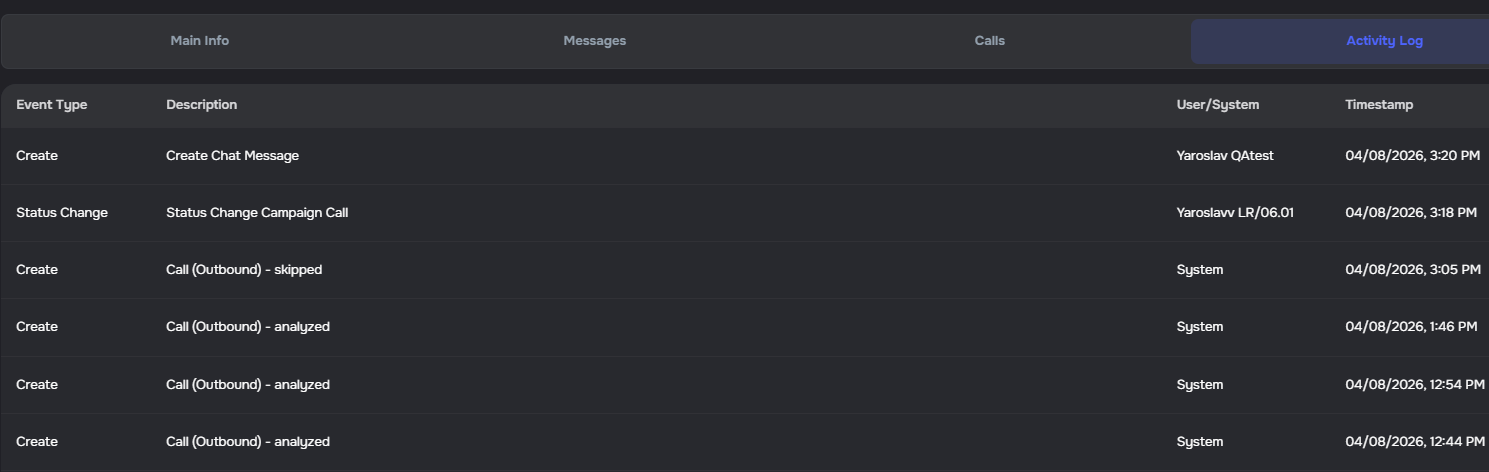
Contact Activity Log Tab
Contact profiles now include an Activity Log tab that shows contact-specific system history in one timeline. Entries include event type, short description, actor (user/system), and timestamp, with newest activity shown first.
✅ Tasks
Bulk Task Link Notifications Support More Case Selectors
Bulk task link notifications now support the same case targeting options used in bulk task workflows, including direct case IDs, case filters, include IDs, case lists, and exclusions applied to the selected result set.
- Expanded targeting — send task links using
case_ids,case_filter,include_case_ids, andcase_list_ids - Safer exclusions —
exclude_case_idsnow removes cases from an already selected set instead of acting as a standalone selector - Clearer reporting — bulk responses continue to report processed case tasks, not just the number of selected cases
Edit Task Responses
Admins can now edit a saved task response directly in the admin app.
- Built-in validation - updates still follow the task's existing field rules
- Attachment support - file upload responses are still managed through attachments instead of being replaced directly
- Clear tracking - admin-made updates are recorded correctly in task history and related fields
AI Campaigns
✨ Dynamic Voice Speed for AI Agents
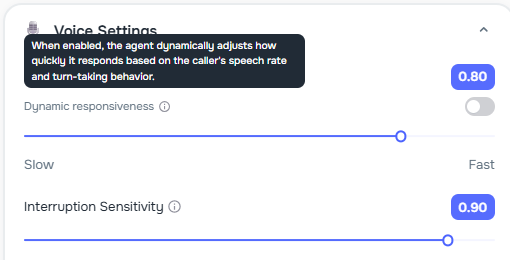
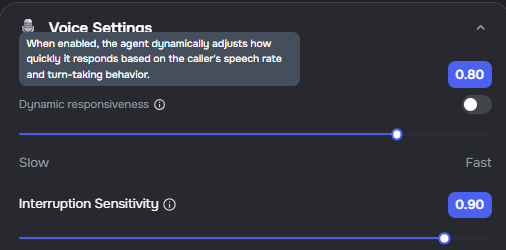
AI agents now automatically adjust their speaking pace to match each caller's rhythm. ✨ Conversations sound more natural, and agents adapt smoothly whether a caller speaks slowly or quickly.
- Dynamic speed on by default — new agents are created with dynamic voice speed enabled so every call feels natural right away
- Dynamic responsiveness toggle — turn on dynamic responsiveness so the agent adjusts how quickly it replies based on the caller's pace
- Manual speed control — toggle dynamic mode off to set a specific voice speed using the existing speed slider
⚙️ Scheduled Calls Report Exports
You can now schedule recurring Calls exports from AI Campaigns and keep the same report setup each time. ✨ This makes it easier to send regular call updates without rebuilding the export again and again.
- Scheduled Calls exports — create a recurring Calls report directly from the Calls view
- Saved filters and columns — keep the selected scope, filters, and columns with the schedule for more consistent deliveries
✨ Separate Disqualified End Call Flow
The agent builder now supports a dedicated end call flow for disqualified callers. ✨ You can customize the disqualified message separately from the default polite close.
- Disqualified End Call Flow — a new editable section with a dedicated message for callers who do not qualify, separate from the standard polite close
- Editable copy — the disqualified flow is not a managed section, so you can update the message directly in the agent builder
- Accurate call routing — the agent now routes disqualified calls to the disqualified flow and completed calls to the polite end call flow
AI Receptionist
✨ Clone Existing Voice Agents
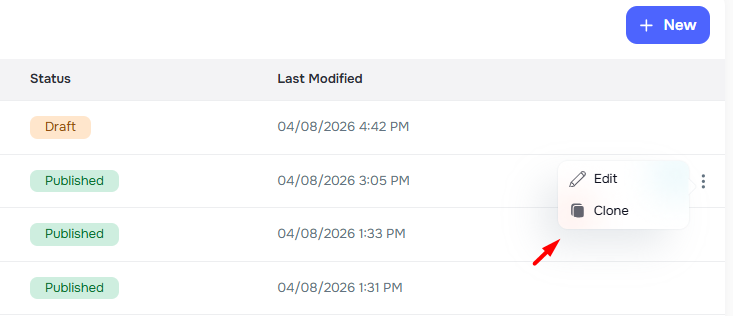
You can now duplicate any voice agent with a single click to quickly create variations without starting from scratch. ✨
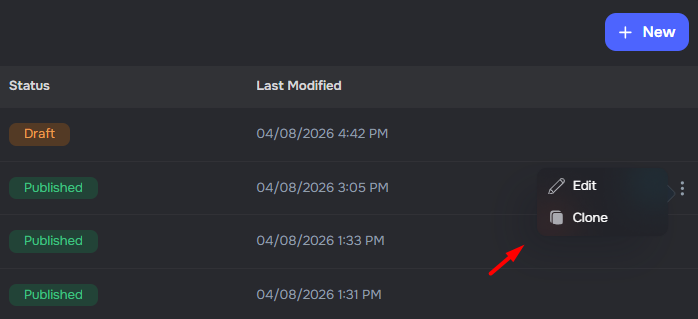
- One-click cloning — use the ⋮ menu on any agent row and select Clone to instantly create a copy
- Full configuration copy — prompts, voice, language, form connections, CRM, transfers, templates, and scheduling settings are all carried over
- Shared knowledge bases — cloned agents use the same knowledge base, so updates benefit all agents
- Clean slate — cloned agents start as a new Draft without the original's phone number, publish status, or version history
Integrations
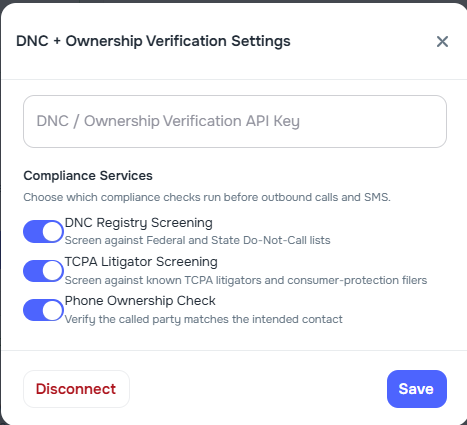
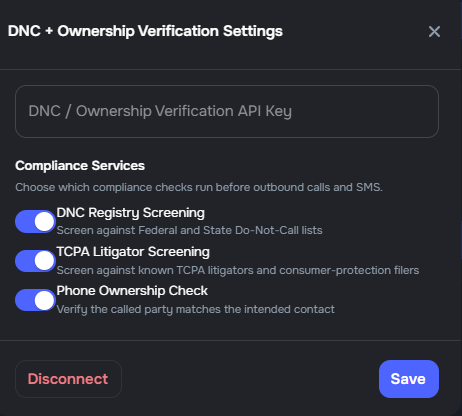
Granular DNC Compliance Service Controls
DNC integration settings now include three independent toggles for each compliance service, giving companies precise control over which checks run before outbound calls and SMS.
- DNC Registry Screening — screen against Federal and State Do Not Call lists
- TCPA Litigator Screening — screen against known TCPA litigators and consumer-protection filers
- Phone Ownership Check — verify the called party matches the intended contact
Each toggle can be independently enabled or disabled in Company Settings → Integrations → DNC + Ownership Verification → Settings. All three default to enabled when the integration is first connected. If the Scrub API encounters an error, phone ownership verification continues independently.
📅 Scheduling Integration for Appointment Booking
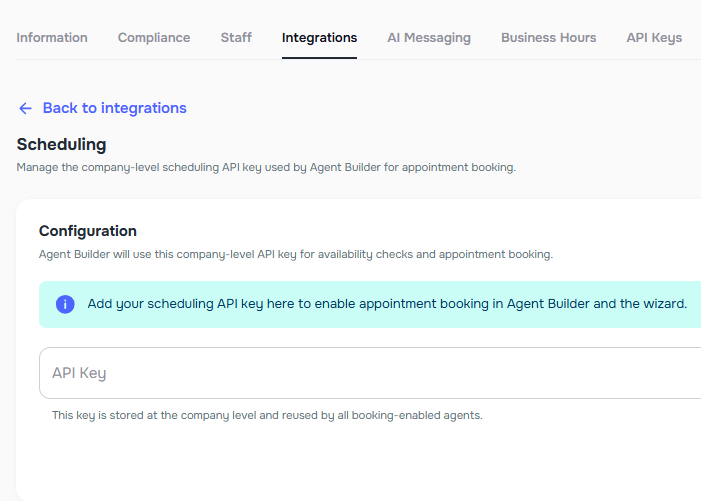
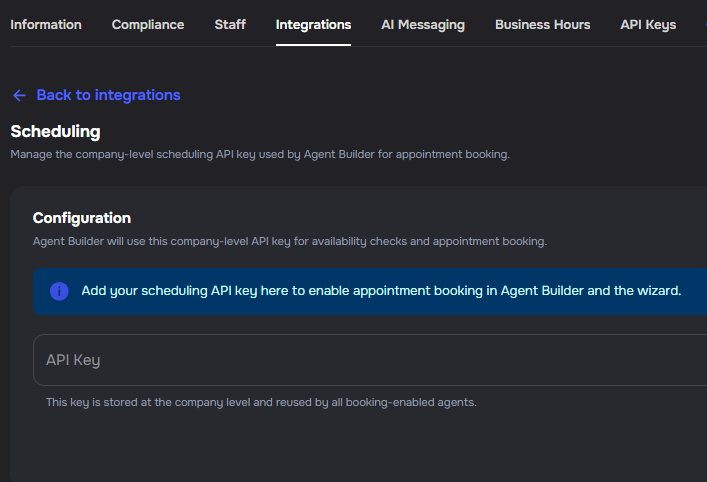
Appointment booking in Agent Builder now uses a company-level scheduling API key managed under Settings → Integrations → Scheduling. The key is stored once and shared by all booking-enabled agents in the company. ✨
- Company-level key — add, update, or disconnect the scheduling API key from the integrations page
- Encrypted storage — the API key is encrypted at rest and masked in API responses
- Agent Builder integration — agents with appointment booking enabled automatically use the company key; no per-agent key entry is needed
- Wizard support — the agent builder wizard enables appointment booking only when a scheduling integration is configured
- Automatic timezone — the company timezone is used automatically for all appointment bookings
Webhook Coverage for Live Call Transfers
Kayse webhooks now expose live transfer and transcript lifecycle events directly, so downstream integrations can react before post-call analysis finishes.
- Added
transcript_updateddeliveries with the latesttranscript_with_tool_calls - Added
transfer_started,transfer_bridged,transfer_cancelled, andtransfer_endedwebhook events - Transfer outcomes now update the stored bridged transfer destination from live call events instead of waiting for post-call analysis
- Webhook event pickers and public webhook docs now list the new call event types

